
Monitor and modify your Arduino variables in real time
WawiLib will reduce the time you need to create your Arduino project with at least 25% by introducing real time monitoring of sketch variables
Variables
Monitor, modify and record your variables without interrupting the Arduino loop.
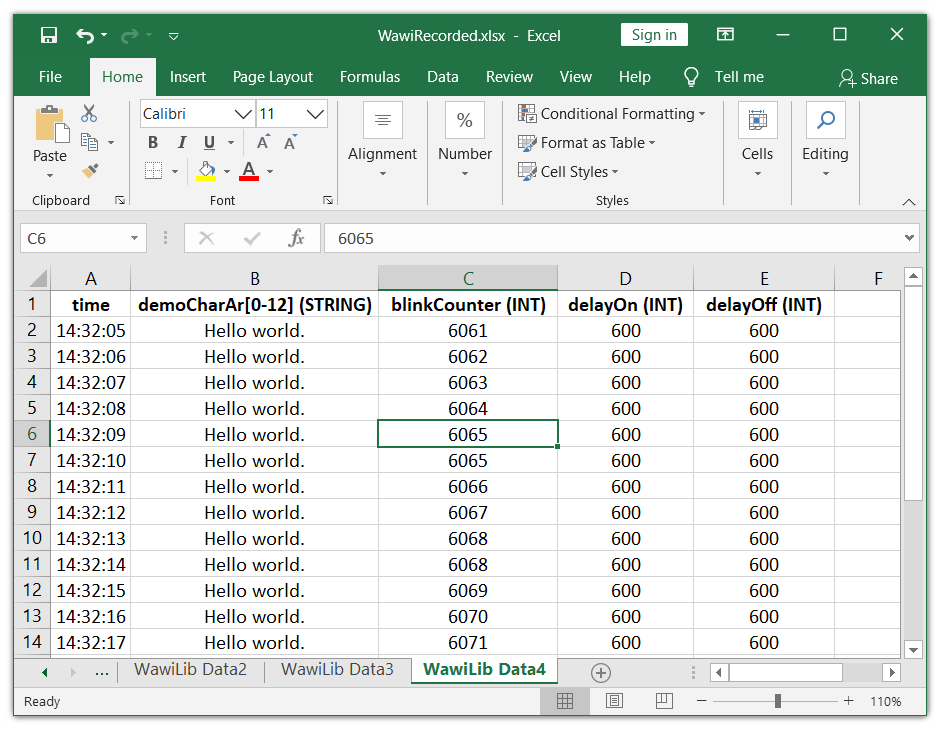
Record the values of your variables or .print() statements output to CSV, XML or XLSX files.
Multiple interfaces
USB programming port
Ethernet UDP
Ethernet TCP/IP
WiFi UDP
WiFi TCP/IP
Serial
SoftwareSerial
Diagnostics
Detailed feedback and diagnostics via the output window.
Use a breakpoint to stop execution of your code (even in an Uno)(*)
(*) The breakpoint function is no replacement for high-end debuggers such as gdb
Add a new dimension to your Arduino experience
WawiLib: industrial concepts for your home projects at an affordable price
Monitor and modify your variables without blocking the Arduino loop
Platforms for industrial automation let you check and modify variables in the automation controller without interrupting their main loop.
Today there is a solution that brings this essential facility to the Arduino world: discover WawiLib!

Easy to use software
Access to your variables is as easy as working with a spreadsheet.
Connection wizzard available to set up a link to your board.
The setup consists of maximum five lines of code. A single line of code per shared variable is all that is needed to make it work.
Flexible data recorder
Reading data from sensors into your Arduino board is easy. Getting this data reliably into a file on your PC is not so easy.
WawiLib records your variables timer-based or on-change-based in various file formats: csv, xml and xlsx (Excel/Open Office) over USB, Serial, Softserial, Ethernet or WiFi.
Whether you want to make life easy in your physics lab or you favor a small weather station, the WawiLib data recorder function saves time and effort.
WawiLib also includes data recorders that transfer your .print() output to a disk file so you can analyse your program later.
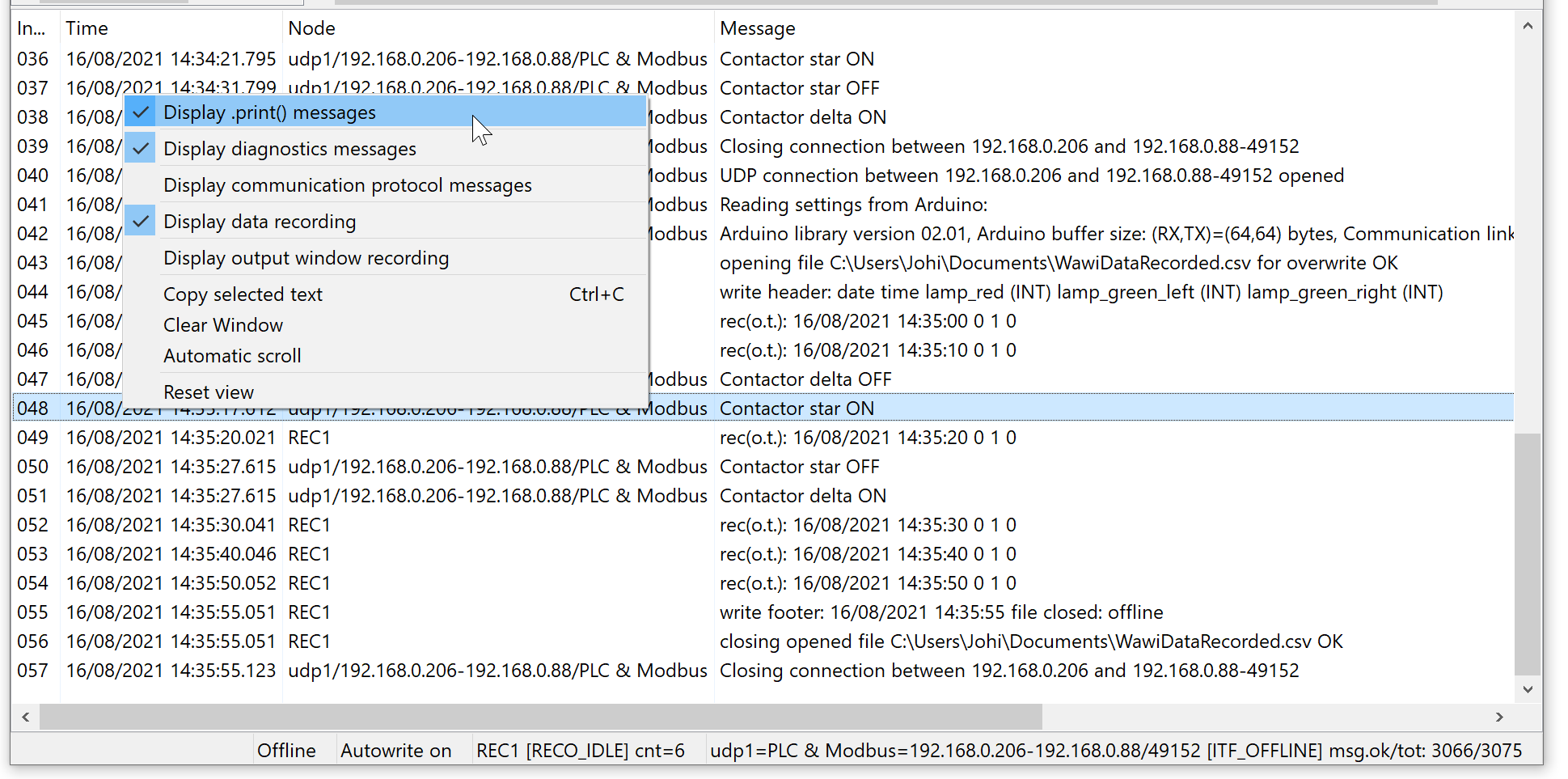
Detailed feedback and diagnostics via the output window
Clear and detailed feedback is essential, so you can focus on your project and not on your tools.
WawiLib gives detailed feedback in the output window during connection setup, data recording and reading and writing of variables.
Output from Serial.print() statements (using WawiSrv.print()) can be visualized in the output window. WawiLib can do what Serial cannot: capture sketch output via Wifi and Ethernet links.